Compatible iPad List
Check if your existing iPad meets the school's requirements for use in the PDLP programme, or consider buying through the school for a 4-year warranty and insurance.
Why buy through the school?
Benefit from a 4-year warranty and 4-year insurance coverage for peace of mind.
Technical Requirements
Parents who opt not to purchase must ensure that their existing iPads meet the following conditions:
Compatible with Device Management Application (DMA) software
Processor: A14 Fusion or better
Storage: 64GB or Higher
Software: iPadOS 26.1 or higher
Essential Accessories: Compatible stylus and keyboard cover (e.g., Apple Pencil, Logitech Rugged Combo)
⚠️ Important Note:
Please be aware that installing the DMA requires a factory reset. This will wipe all existing data on the iPad. Ensure all personal files are backed up before proceeding.
Supported Models for PDLP
The following devices are recommended for PDLP:
iPad Family | Supported Models |
|---|---|
iPad Pro | 12.9-inch (5th generation and later) 11-inch (4th generation and later) |
iPad Air | 6th generation and later |
iPad mini | 7th generation and later |
iPad | 9th generation and later |
How to find the model number of your iPad:
Method 1:
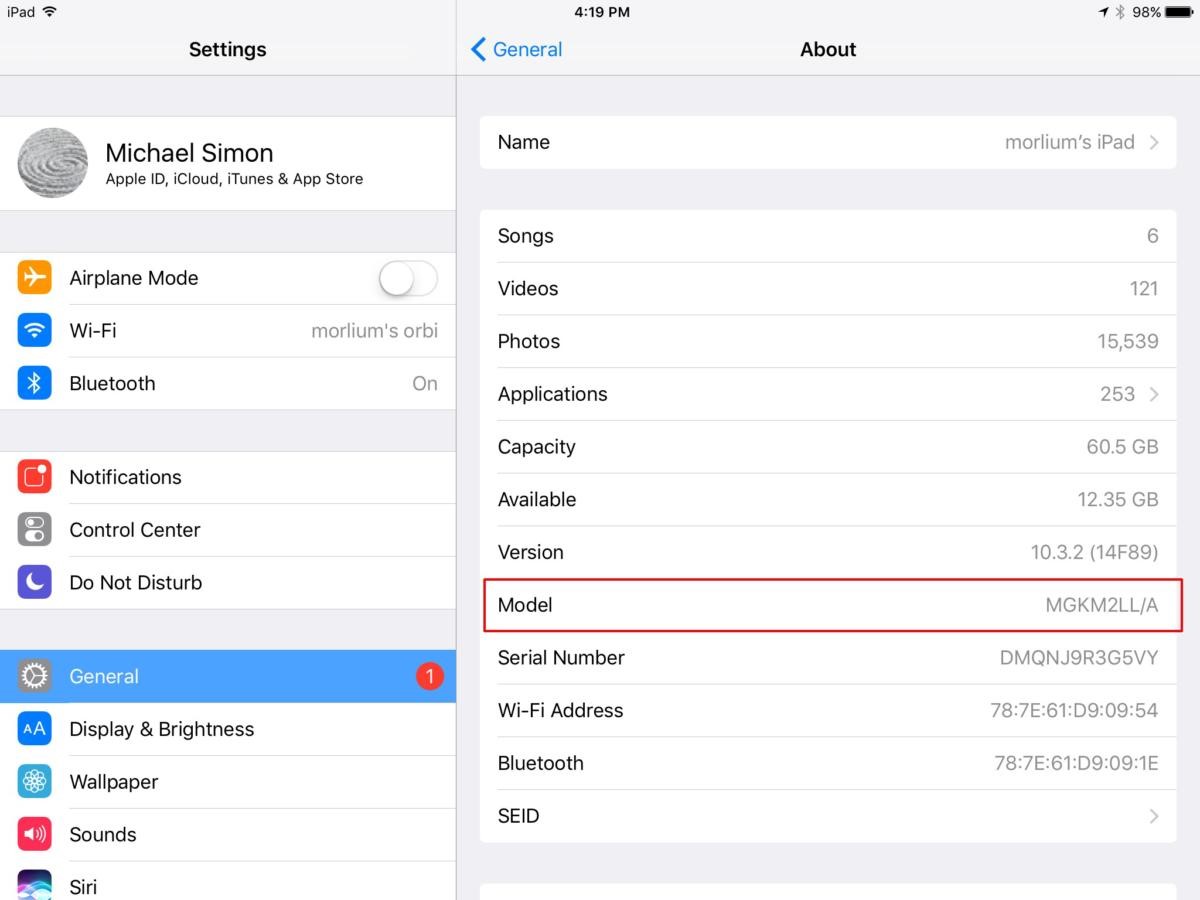
Open the Settings app and tap on General > About.
Look for the Model entry on this page.
You should see a model number beginning with an ‘M’.
Tap on the Model entry and it will show a model number beginning with a letter ‘A’.
The image below shows the iPad model is ‘A….’.
Method 2:
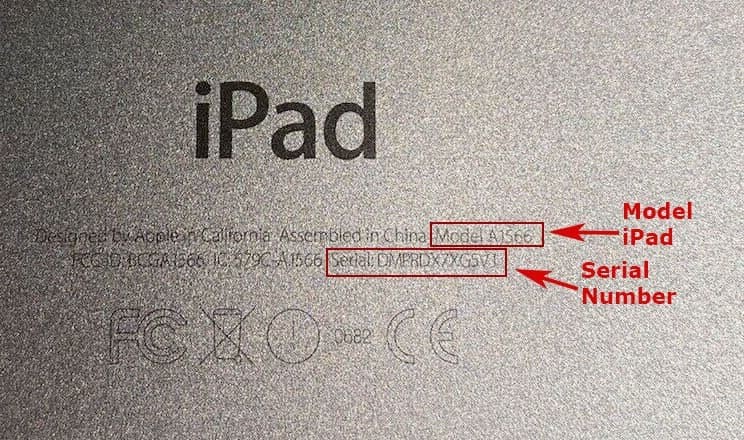
The model number is imprinted on the back of your iPad.
Flip your iPad over and read the small text printed under the word ‘iPad’.
You should see the model number near the iPad serial number. The image below shows the iPad model: ‘A1566’.